
Introduction

From scratch to production-grade AWS infra in a day. No DevOps knowledge required.

Stacktape gives you the speed of a PaaS with the control and cost structure of raw AWS. Define your infrastructure in TypeScript, deploy it with one command, and run it in the AWS account you control. Your infrastructure and application data stay in that account; operational data such as error events, check results and security findings goes to the Stacktape Console.
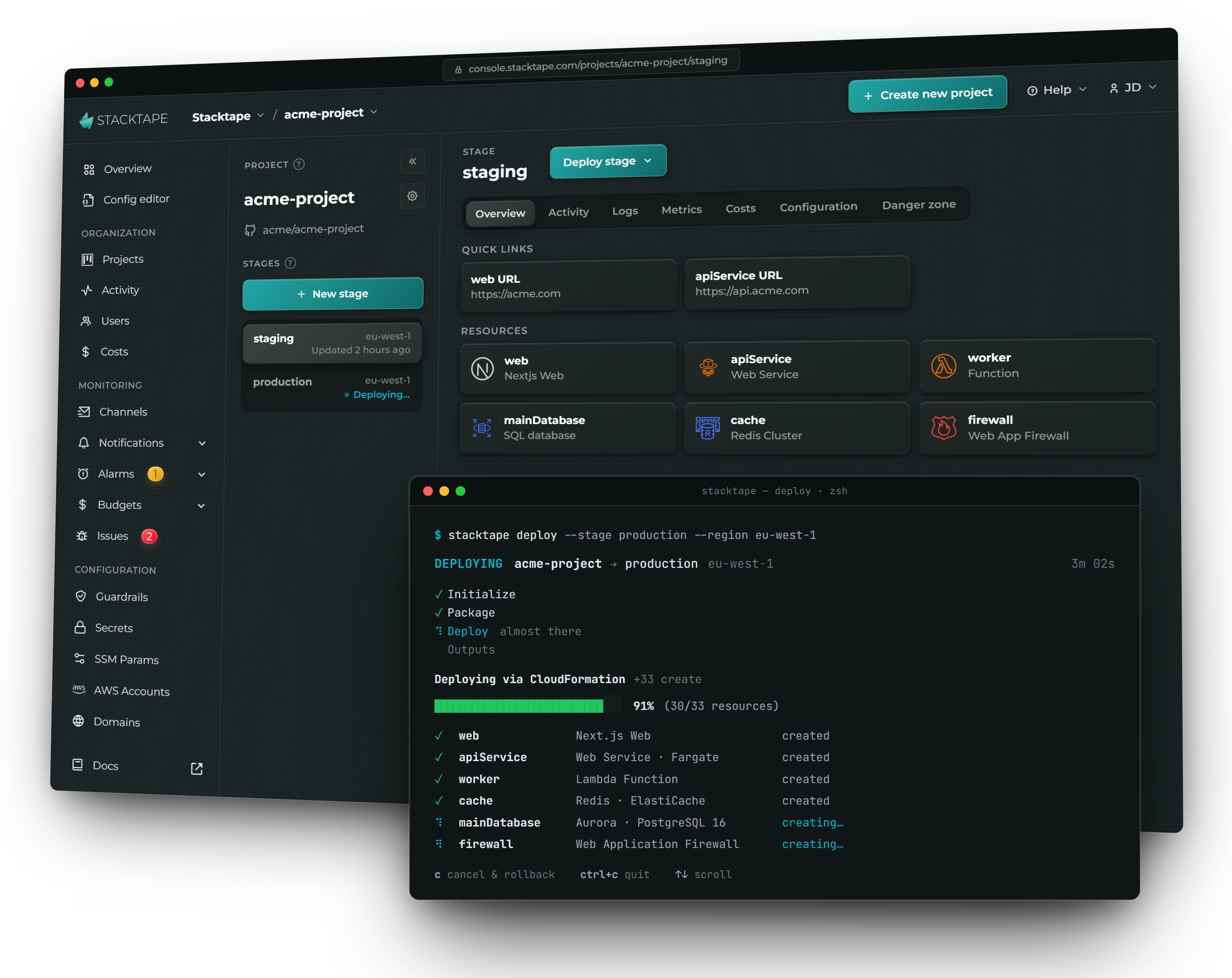
Stacktape Console project dashboard alongside a terminal showing an infrastructure deployment in progress
Define, deploy and operate production-grade AWS infrastructure from one workflow.
Stacktape is now open source
After years as a closed-source product, our DevOps-free cloud development framework is now MIT-licensed and open to the community.
Star on GitHub

Everything you need, in one framework

Containers & serverless

Deploy Lambda functions and containers side by side — Fargate for steady workloads, Lambda for spiky ones, EC2 when you need raw control.

Full power of AWS

SQL and NoSQL databases, load balancers, API gateways, Redis, MongoDB Atlas, queues, buckets and more — all first-class building blocks.

Risk-free

Extend, override or eject anytime. Everything compiles to plain CloudFormation you can inspect and take with you.

Infrastructure as code

TypeScript, YAML or JSON — about 97% shorter than writing the equivalent CloudFormation by hand.

Built-in CI/CD

Push-to-deploy and isolated preview deployments for every pull request, straight out of the box.

Development mode

Run services locally while connected to real cloud resources — test changes without redeploying every time.

Smart builds

Zero-config, optimized parallel builds with advanced caching for every function and container.

Security built in

Secret management, least-privilege permissions and private networking — configured by default.

Cost optimization

A detailed cost breakdown across all your stacks and accounts. Billed by AWS, with no markup.

A real Stacktape config

A complete HTTP API backed by DynamoDB, with CORS, a custom domain per stage, auto-generated IAM and environment variables:

import {
  defineConfig,
  DynamoDbTable,
  HttpApiGateway,
  HttpApiIntegration,
  LambdaFunction,
  JsBundleLambdaPackaging
} from 'stacktape';

export default defineConfig(({ stage }) => {
  const database = new DynamoDbTable({
    primaryKey: { partitionKey: { name: 'id', type: 'string' } }
  });

  const api = new HttpApiGateway({
    cors: { enabled: true },
    customDomains: [{ domainName: stage === 'production' ? 'acme.com' : stage + '-acme.com' }]
  });

  const myFunction = new LambdaFunction({
    packaging: new JsBundleLambdaPackaging({ entryfilePath: './src/index.ts' }),
    events: [new HttpApiIntegration({ httpApiGatewayName: api, method: 'GET', path: '/' })],
    connectTo: [database],
    environment: { TABLE_NAME: database.name }
  });

  return { resources: { api, myFunction, database } };
});

Run stacktape deploy and you get a live API Gateway endpoint with your custom domain, a DynamoDB table, and a Lambda with the table name injected and IAM scoped to exactly what it needs — no console clicking, no IAM JSON.

Quick start

Install Stacktape

Install globally, or locally to your project.

npm install -g stacktape

Or install the standalone binary, which needs no Node.js, and start stacktape init in the same command. The installer picks the build for your processor, including Apple silicon, ARM64 and Alpine Linux. Leave out init to only install.

curl -fsSL https://installs.stacktape.com/macos.sh | sh -s -- init

Initialize a project

Scaffold a starter, or drop a stacktape.ts into an existing repo.

stacktape init

Deploy to AWS

Pick a stage and a region — Stacktape builds, packages and provisions everything into your account.

stacktape deploy --stage dev --region us-east-1 --project {your-project-name}

That's it — your app is now running on AWS. 🎉

Configuration in TypeScript, YAML or JSON

Stacktape supports three configuration formats. Use TypeScript for full type-safety and autocomplete, or YAML/JSON if you prefer. Each tab below defines the same deployable function.

import { defineConfig, LambdaFunction, JsBundleLambdaPackaging } from 'stacktape';

export default defineConfig(() => ({
  resources: {
    myFunction: new LambdaFunction({
      packaging: new JsBundleLambdaPackaging({ entryfilePath: './src/index.ts' })
    })
  }
}));

Stacktape finds stacktape.ts and stacktape.yml (also stacktape.yaml and stacktape.js) on its own. It does not look for stacktape.json, so pass a JSON file explicitly with --config, for example stacktape deploy --config stacktape.json --stage dev --region us-east-1.

A development workflow built for speed

Local development

Run your services in development mode to iterate faster — your code runs locally, connected to real cloud resources, so you can test changes without redeploying every time.

stacktape dev --stage dev --region us-east-1

Scripts & migrations

Define reusable scripts in your config — they run with the same connectivity and secrets your app has.

import { defineConfig, LocalScript, RelationalDatabase, RdsEnginePostgres, $Secret } from 'stacktape';

export default defineConfig(() => {
  const database = new RelationalDatabase({
    engine: new RdsEnginePostgres({ version: '16', primaryInstance: { instanceSize: 'db.t4g.micro' } }),
    credentials: { masterUserPassword: $Secret('database', 'password') }
  });

  return {
    resources: { database },
    scripts: {
      migrate: new LocalScript({
        executeCommand: 'npm run migrate',
        connectTo: [database],
        environment: { DATABASE_URL: database.connectionString }
      })
    }
  };
});
stacktape script run migrate --stage dev --region us-east-1

Private networking

Increase security by keeping your database private (VPC-only):

import { defineConfig, RelationalDatabase, RdsEnginePostgres, $Secret } from 'stacktape';

export default defineConfig(({ stage }) => {
  const mainDatabase = new RelationalDatabase({
    engine: new RdsEnginePostgres({
      primaryInstance: {
        instanceSize: stage === 'production' ? 'db.t4g.medium' : 'db.t4g.micro',
        multiAz: stage === 'production'
      },
      version: '18'
    }),
    credentials: {
      masterUserName: 'master-user',
      masterUserPassword: $Secret('my-secret-password')
    },
    accessibility: { accessibilityMode: 'vpc', forceDisablePublicIp: true }
  });

  return { resources: { mainDatabase } };
});

Then add a bastion resource, so you can perform management tasks through a secure tunnel:

import { Bastion, LocalScriptWithBastionTunneling, RelationalDatabase, RdsEnginePostgres, $Secret } from 'stacktape';

const mainDatabase = new RelationalDatabase({
  engine: new RdsEnginePostgres({ version: '16', primaryInstance: { instanceSize: 'db.t4g.micro' } }),
  credentials: { masterUserPassword: $Secret('database', 'password') }
});

const bastion = new Bastion({});

const migrationScript = new LocalScriptWithBastionTunneling({
  executeCommand: 'prisma migrate',
  connectTo: [mainDatabase]
});

Override & extend

Need more control? Override or transform any AWS resource:

import { LambdaFunction, JsBundleLambdaPackaging } from 'stacktape';

const myFunction = new LambdaFunction({
    // ... standard config
    packaging: new JsBundleLambdaPackaging({ entryfilePath: './src/index.ts' }),
    overrides: {
      lambda: { Description: 'Overridden description' }
    },
    transforms: {
      lambda: (props: any) => ({ ...props, MemorySize: (props.MemorySize ?? 128) * 2 })
    }
});

Or drop in raw CloudFormation and AWS CDK constructs alongside your Stacktape resources:

import { defineConfig, LambdaFunction, JsBundleLambdaPackaging } from 'stacktape';

export default defineConfig(() => {
  const myFunction = new LambdaFunction({
    packaging: new JsBundleLambdaPackaging({ entryfilePath: './src/index.ts' })
  });

  return {
    resources: { myFunction },
    cloudformationResources: {
      mySnsTopic: {
        Type: 'AWS::SNS::Topic',
        Properties: { TopicName: 'my-test-topic', DisplayName: 'My Test Topic' }
      }
    }
  };
});

Open-source core, paid Console

Use Stacktape core completely free, or add the hosted Console when you want CI/CD, GitOps and observability.

Stacktape CoreFree
The open-source CLI and engine
The full CLI: deploy, dev, logs, scripts and more
Every resource type in the library
Override, extend and eject anytime
Local dev mode against real cloud resources
MIT-licensed - yours forever
Get started free
Stacktape ConsolePaid
Hosted CI/CD, GitOps & observability
CI/CD pipeline for GitHub, GitLab & Bitbucket
Web console to deploy and manage stacks
Browse logs, metrics, costs and issues
Remote sessions into running containers
Secrets management, guardrails & alarms
Premium support - 8-minute average response
See the Console

Loved by teams shipping on AWS

“

Stacktape (the product) and Stacktape (the team) have helped us move extremely fast. They abstract away so much of the complexity of AWS, and let us focus on our application logic, instead of infrastructure configuration.

HG
Henry Garrett
Founding Engineer, Recipts.xyz
“

Stacktape has been a game-changer for Lastmyle, providing a secure and intuitive way to manage our AWS deployments. It's allowed our small team to efficiently handle environments using GitOps, all while keeping a tight rein on costs.

RW
Rhys Williams
CTO & Founder, Lastmyle

Ready to simplify your AWS deployments?

From scratch to production-grade AWS infra in a day — no DevOps knowledge required.